

☀ Solar Watt-Hour Calculator
Select your country to auto-set tariff rates, currency, and peak sun hours.
⚙ System Configuration
⚡ Solar System Recommendation
| Appliance | Wattage (W) | Qty | Hrs / Day | Wh / Day |
|---|
Solar Watt Hour Calculator: Size Your System Right in 2026
The average homeowner wastes $400 a year on a solar system that’s the wrong size — either too small to handle peak demand on a hot afternoon, or so oversized it never pays for itself. Calculating your solar watt hours before buying anything is the one step that fixes this.
Here’s the frustrating part: most solar guides throw around numbers like “you need a 5 kW system” without ever asking what you actually run at home. Your fridge, your AC, your EV charger, your pool pump — they all add up differently. And every dollar you mismatch is a dollar you won’t recover.
This guide walks you through exactly how to use our Solar Watt Hour Calculator — including the country selector, all six metric cards, battery type options, and the bar chart breakdown — plus the math behind every result. Based on appliance data from the U.S. Department of Energy and real solar sizing formulas used by certified installers.
What You’ll Learn
- Watts vs. watt-hours vs. kWh — the real difference
- What the calculator shows you (all 6 metrics explained)
- How to use the Solar Watt Hour Calculator: step-by-step
- How to size your solar system from your results
- Battery types and backup days — what to pick
- Common appliance wattage reference table
- Common mistakes to avoid
- Frequently asked questions
What’s the difference between watts, watt-hours, and kWh?
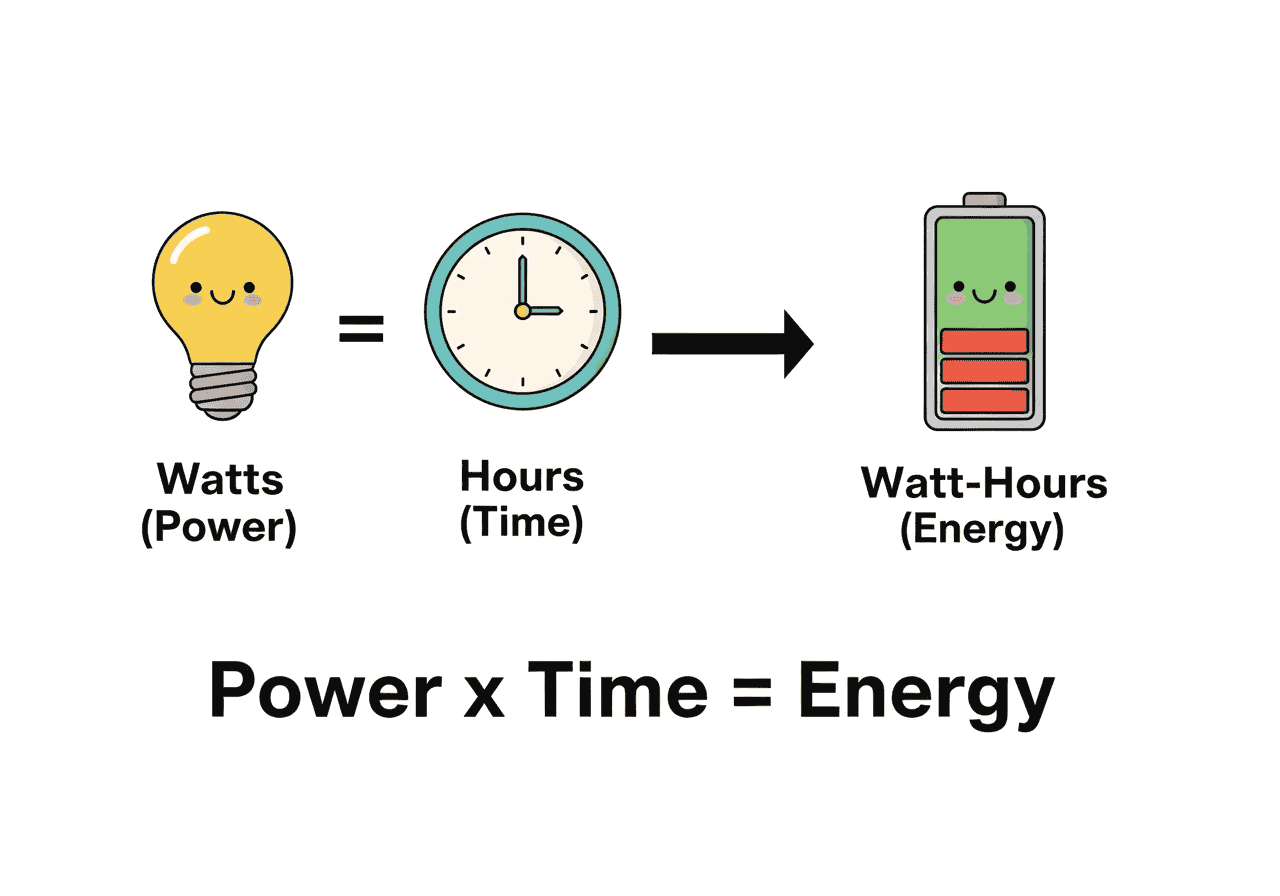
Think of it like driving. Your speedometer shows watts — the rate at which you’re burning fuel right now. Your odometer shows watt-hours — the total energy spent on the whole trip.
A 100W light bulb running for 3 hours uses 300 watt-hours. Run 10 of those for the same 3 hours and you’ve used 3,000 Wh, or 3 kWh. That 3 kWh is what shows on your electricity bill and what your solar panels need to replace.
| Unit | What it measures | Real-world analogy | Where you’ll see it |
|---|---|---|---|
| Watt (W) | Power — rate of energy use right now | Car speedometer (60 mph) | Appliance labels, solar panel specs |
| Watt-Hour (Wh) | Energy — total use over time | Miles driven (60 miles in 1 hr) | Battery capacity, small off-grid systems |
| Kilowatt-Hour (kWh) | 1,000 watt-hours | Cross-country trip in miles, not inches | Utility bills, solar system output |
| Peak Sun Hours | Hours of usable solar irradiance per day | Effective productive hours of a workday | Solar panel sizing calculations |
What does the Solar Watt Hour Calculator actually show you?
Most solar calculators stop at “here’s your daily kWh.” This one goes further. Here’s what every number actually means and why it matters.
How to use the Solar Watt Hour Calculator: step-by-step
Take Carlos from Phoenix. He was planning a 6 kW solar installation based on a neighbor’s quote. When he ran his actual appliances through this calculator — two AC units, a fridge, twelve LED lights, a laptop, and a TV — his real daily need came to 22 kWh. That 6 kW system would’ve left him 4 kWh short every single day in summer.
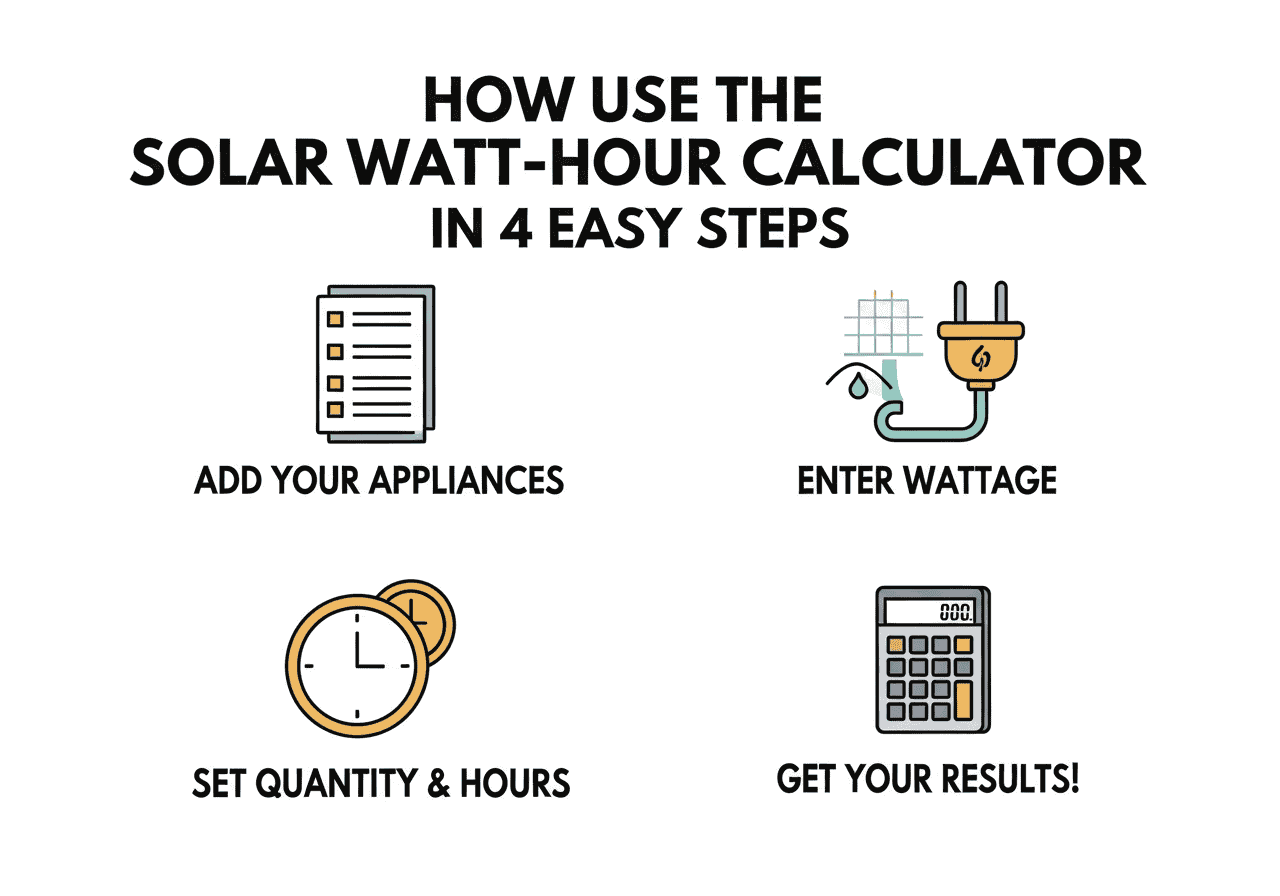
Step 1: Select your country
The calculator opens with a country grid. Pick yours. It automatically loads your local electricity tariff rate, currency symbol, and the average peak sun hours for your region. You can still adjust peak sun hours manually afterward if your city differs from the national average.
Countries currently supported: United States, Canada, Australia, United Kingdom, Germany, France, Spain, Italy, Netherlands, New Zealand, Japan, and Singapore.
Step 2: Add your appliances
Click “Add Appliance.” A dropdown lists over 60 common devices — LED bulbs, ceiling fans, refrigerators, AC units (inverter and standard), laptops, EV chargers, water pumps, pool pumps, washing machines, electric showers, and more. Can’t find yours? Select “Custom” and enter the wattage directly.
Step 3: Confirm the wattage
The calculator pre-fills average wattage values from real appliance data. For the most accurate result, check the label on the back or bottom of your device and enter the actual number. A few watts off on a single LED doesn’t matter much — but getting your AC or water heater wrong by 20% throws the whole calculation.
Step 4: Set quantity and daily hours
Have 8 LED bulbs? Set quantity to 8. Running them 6 hours a night? Enter 6. For cycling appliances, use effective runtime:
- Refrigerator (cycles on/off): 8–10 hours effective runtime, not 24
- Central AC on a hot day: 6–8 hours
- EV charger (Level 2): actual charging hours per night, typically 2–4
- Pool pump: actual run hours, typically 4–8
- TV, laptop: actual usage hours
Step 5: Configure your system settings
Above the appliance table, the System Configuration panel has four settings:
- Peak Sun Hours slider (2–8 hrs): Adjust to your city’s actual value. NREL’s solar map is the best reference.
- Solar Panel Wattage: Choose from 550W to 1000W, or enter a custom value. The calculator uses this to tell you exactly how many panels you need.
- Battery Type: Lithium-Ion (LFP), Sodium-Ion, Lead-Acid (12V/24V/48V), or AGM (12V/48V). Each has a different depth of discharge — LFP and Sodium-Ion use 90% DoD, Lead-Acid and AGM use 50%. This directly changes your battery capacity recommendation.
- Backup Days: Half day, 1 day, 2 days, or 3 days. Longer backup = larger battery bank.
Step 6: Read the system recommendation
The Solar System Recommendation panel shows four outputs: how many solar panels you need (and total system kW), battery bank size (in kWh for lithium, or Ah at voltage for lead-acid), inverter size (at 1.25× peak load), and annual savings. These update live as you add or change appliances.
Step 7: Check the usage breakdown chart
Once you have entries, a horizontal bar chart appears showing your top 8 appliances ranked by daily Wh consumption with percentage shares. This is where most people get their first real surprise — usually it’s the AC or water heater, not the lights.
Step 8: Export to CSV
Click “Export CSV” in the top-right of the appliance table to download a spreadsheet of all your appliances with Wh/day, kWh/day, kWh/month, and kWh/year for each. Useful for sharing with your solar installer.
How to size a solar system from your calculator results

Here’s the full sizing chain, so you understand what the calculator is doing behind the scenes:
Peak sun hours by region
The calculator auto-sets peak sun hours when you pick your country. But city-level precision matters — use the NREL Solar Resource Maps for your exact location. General benchmarks from the National Renewable Energy Laboratory:
- Southwest US (Phoenix, Los Angeles): 5.5–6.5 hours
- Southeast US (Miami, Atlanta): 4.5–5.5 hours
- Northeast US (New York, Boston): 3.5–4.5 hours
- UK average: 2.5–3.5 hours
- Germany: 3.2–4.2 hours
- Spain, Italy, Australia (most cities): 4.5–6.5 hours
- Singapore: 4.5–5.5 hours
| Daily kWh Need | Typical Home | System Size | Panels (600W) | Approx. Install Cost (US) |
|---|---|---|---|---|
| 5–10 kWh | Small apartment / cabin / RV | 1.25–2.5 kW | 3–5 panels | $3,000–$7,000 |
| 10–20 kWh | Average 2–3 BR home | 2.5–5 kW | 5–11 panels | $7,000–$15,000 |
| 20–30 kWh | Larger home with AC | 5–7.5 kW | 11–16 panels | $14,000–$22,000 |
| 30–50 kWh | Large home + EV charging | 7.5–12.5 kW | 16–27 panels | $21,000–$36,000 |
| 50+ kWh | High-usage home / small business | 12.5+ kW | 27+ panels | $35,000+ |
Calculations assume 5 peak sun hours, 0.80 efficiency factor, and 600W panels. Cost estimates from the Solar Energy Industries Association (SEIA) 2025 residential install data — before federal tax credits (currently 30% ITC).
Battery types, depth of discharge, and backup days — what to pick
The calculator handles DoD automatically — pick your battery type and backup days, and it adjusts the bank size recommendation accordingly. Here’s what to know before you choose:
| Battery Type | Usable DoD | Cycle Life | Cost per kWh (approx.) | Best For |
|---|---|---|---|---|
| Lithium-Ion (LFP) | 90% | 3,000–6,000 cycles | $300–$500 | Residential, long-term reliability |
| Sodium-Ion | 90% | 2,000–4,000 cycles | $200–$350 | Budget-friendly, newer technology |
| AGM (12V / 48V) | 50% | 400–700 cycles | $150–$250 | RV, backup, short-term use |
| Lead-Acid (12V/24V/48V) | 50% | 300–500 cycles | $100–$200 | Low upfront cost, off-grid cabins |
For most homes in 2026, LFP lithium is the clear choice. The higher upfront cost versus lead-acid disappears within 3–4 years when you factor in cycle life, usable capacity, and zero maintenance. Sodium-Ion is an interesting emerging option — lower cost than LFP, comparable DoD, but fewer options on the market today.
Common appliance wattage and daily kWh reference
Sarah from Brisbane ran this calculator before getting installer quotes. She assumed her two-bedroom home was “average.” When she added her ducted AC and pool pump, her daily total jumped from 14 kWh to 31 kWh. The installer’s original 5 kW quote would’ve left her drawing from the grid every afternoon in January.
| Appliance | Wattage (W) | Est. Hours/Day | Daily kWh | Notes |
|---|---|---|---|---|
| LED Bulb (15W) | 15W | 6 hrs | 0.09 kWh | Per bulb |
| Ceiling Fan | 75W | 8 hrs | 0.60 kWh | |
| Refrigerator (medium) | 150W | 8 hrs (cycling) | 1.20 kWh | Not 24 hrs |
| AC Inverter (1.5 Ton) | 1,500W | 6 hrs | 9.00 kWh | Biggest load for most homes |
| Laptop | 60W | 8 hrs | 0.48 kWh | |
| LED TV (43″) | 80W | 4 hrs | 0.32 kWh | |
| Washing Machine | 500W | 1 hr | 0.50 kWh | |
| Electric Shower | 7,500W | 0.17 hrs (10 min) | 1.25 kWh | High wattage, short duration |
| Water Heater (Tank) | 3,000W | 2–3 hrs | 6.00–9.00 kWh | |
| EV Charger (Level 1) | 1,440W | 8 hrs | 11.52 kWh | |
| EV Charger (Level 2) | 7,200W | 3 hrs | 21.60 kWh | Can dominate total load |
| Pool Pump | 1,100W | 6 hrs | 6.60 kWh | |
| Water Pump (1 HP) | 750W | 4 hrs | 3.00 kWh |
Source: U.S. Department of Energy Appliance Energy Use data, 2024. Wattages are typical averages — check your device label for exact figures and enter them in the calculator’s Wattage field.
What are the most common solar watt hour calculation mistakes?
Mistake 1: Clock time vs. effective runtime
Your fridge is plugged in 24 hours a day, but the compressor cycles. Effective runtime is 8–10 hours. If you enter 24 hours, you inflate your calculation by 2–3 kWh/day and over-order battery capacity. Flip that for AC — people enter “8 hours” when their unit actually runs 12–14 hours on a summer day with short breaks.
Mistake 2: Forgetting the EV charger
A Level 2 EV charger at 7,200W running 3 hours a night adds 21.6 kWh/day. That’s often more than the rest of the household combined. Add it separately from everything else and watch how dramatically it shifts your total.
Mistake 3: Sizing for average, not peak
A home in Dallas uses 25 kWh/day in mild spring weather and 55 kWh/day in July with the AC running all day. Design your system for the worst-case month, not the annual average. The calculator makes this easy — just run it twice with your seasonal appliance hours and use the higher number.
Mistake 4: Ignoring the peak load card
Your daily kWh determines how many solar panels you need. Your peak load (the simultaneous watt draw) determines your inverter size. Running your 2,000W AC, 1,200W microwave, and 1,500W electric iron at the same time? That’s 4,700W peak load. Your inverter needs to handle that, not just your average consumption. The calculator shows your peak load in real-time and sizes the inverter at 1.25× for safety margin.
Frequently Asked Questions
What is a solar watt hour calculator?
A solar watt hour calculator totals the energy consumption of your home appliances in watt-hours (Wh) or kilowatt-hours (kWh) per day, then uses that figure to recommend a solar panel count, battery bank size, and inverter rating. You enter each device’s wattage and daily usage hours; the calculator does the rest.
How do I calculate watt hours for solar?
Multiply each appliance’s wattage by the hours you use it per day. That gives daily watt-hours for that appliance. Add every appliance’s watt-hours together, then divide the total by 1,000 to convert to kWh. That daily kWh figure is how much energy your solar panels need to generate each day.
How many kWh does a typical house use per day?
According to the U.S. Energy Information Administration (EIA), the US average is about 29 kWh per day. Australia averages 16–20 kWh. UK homes average 8–10 kWh. The best way to know your specific usage is to run our calculator with your actual appliances, or check 12 months of utility bills for a seasonal average.
Why does battery type change the recommendation so much?
Different batteries can safely use different percentages of their total capacity. Lithium-Ion (LFP) and Sodium-Ion allow 90% depth of discharge (DoD), while Lead-Acid and AGM are limited to 50% to avoid damaging the cells. So for the same daily kWh need, lead-acid requires twice the nameplate capacity as lithium. The calculator adjusts your battery recommendation automatically when you switch types.
What is peak load and why does it matter?
Peak load is the maximum wattage your home draws at any one moment — the sum of every appliance running simultaneously at full power. It determines your inverter size, not your daily kWh total. A home might use 20 kWh/day but have a 6,000W peak load if the AC, washing machine, and oven run together. The calculator shows your peak load live and recommends an inverter at 1.25× that figure for safe headroom.
Can I use this calculator for an RV, boat, or off-grid cabin?
Yes. The calculation is identical for off-grid and mobile applications. List the appliances in your RV, boat, or cabin, enter wattage and daily hours, and use the result to size your portable or fixed solar array and battery bank. For off-grid systems without grid backup, increase your backup days to 2–3 days to handle cloudy periods.
How accurate are the pre-filled wattage values?
The pre-filled values are typical averages for modern appliances and accurate enough for initial sizing. For precision, check the label on the back or bottom of your device — it lists actual wattage (W). If it only shows amps (A) and volts (V), calculate watts as Volts × Amps = Watts. Enter the real figure in the Wattage field for your most power-hungry appliances.
What does the Export CSV button do?
The Export CSV button downloads a spreadsheet of all your entered appliances with columns for wattage, quantity, hours per day, and calculated Wh/day, kWh/day, kWh/month, and kWh/year for each device, plus a total row. Share this file with your solar installer so they can use your actual load data instead of generic estimates.
You’ve got the number. Now use it.
Calculating your solar watt hours is the step that turns a solar purchase from a gamble into a decision. Run our Solar Watt Hour Calculator above, select your country, add your appliances, and watch all six metrics update in real time. Your daily kWh total — divided by your peak sun hours, multiplied by 1.25 — is your solar system size.
You now have the same calculation method professional solar installers use. Walk into any quote conversation knowing whether the system size actually matches your real energy load — and whether the battery recommendation accounts for your battery type’s actual depth of discharge.
Start by adding your top 5 appliances. Most people find their number in under 3 minutes. Want to go deeper? Check our full Energy Calculator library for battery sizing, panel output, and generator run-time tools.
Sources & Further Reading
Last Updated: | Next Review:
- U.S. Energy Information Administration (EIA). “Residential Energy Consumption Survey (RECS).” 2024.
- U.S. Department of Energy. “Estimating Appliance and Home Electronic Energy Use.” 2024.
- Solar Energy Industries Association (SEIA). “Solar Industry Research Data — Residential Install Costs.” 2025.
- Lawrence Berkeley National Laboratory. “Home Idle Load: Devices Wasting Huge Amounts of Electricity When Not in Active Use.” 2015.