

No subjects yet. Add one above.
Add subjects to track progress.
No notes yet. Start writing!
Complete timer sessions to see subject breakdown.
Add subjects and generate a plan to get recommendations.
Complete timer sessions to see your patterns.
Set exam date and subjects to see risk analysis.
Daily Study Planner: Free Exam Study Schedule Generator
A daily study planner splits your study hours across subjects based on priority, so hard subjects get more time than easy ones. The free calculator above does this automatically: enter your exam date, daily hours, and subjects, and it builds a day-by-day schedule in seconds.
Most students don’t fail because they didn’t study enough. They fail because they never sat down and worked out what to study, when, and for how long.
You open your notes with good intentions. Twenty minutes later you’re still deciding where to start. That’s decision fatigue, and it eats hours you don’t have.
The daily study planner above fixes that. It’s a free exam study schedule generator built into this page: add your subjects, set an exam date, and it splits your available hours by priority, tracks what you’ve finished, and runs a Pomodoro timer while you work. Some people call this kind of tool a study timetable, a revision planner, or a study calendar. Whatever name you use, the job is the same: turn a pile of subjects into a schedule you can actually follow.
Here’s exactly how it works, the math behind it, and how to set it up in under five minutes.
We ran this planner across course loads from 3 subjects to 9, and timelines from a single cram weekend to a 90-day exam runway, before publishing it. The priority math held up in every case we tried. Where things broke down wasn’t the formula, it was students setting daily hours they couldn’t realistically hit, which is still the single most common way a study schedule falls apart.
What Is a Daily Study Planner?
A daily study planner is a tool that converts your exam date, available hours, and subject list into a day-by-day schedule. Instead of guessing how long to spend on each subject, it does the math for you and updates as your exam gets closer.
Think of it as the plan a top student would make for themselves, minus the spreadsheet.
It works as a homework planner for a high schooler juggling five classes, and just as well as a college study planner or university study planner for someone managing a heavier course load. Under the hood it’s the same online study planner either way, an exam planning tool that turns “I should probably study” into an actual learning schedule.
The calculator on this page (we call it Study Planner Pro) handles five jobs at once:
- Splits your daily hours across subjects by priority
- Builds a full day-by-day calendar to your exam date
- Tracks which subjects you’ve finished
- Runs a Pomodoro focus timer and logs every session
- Flags when you’re falling behind, before it’s too late
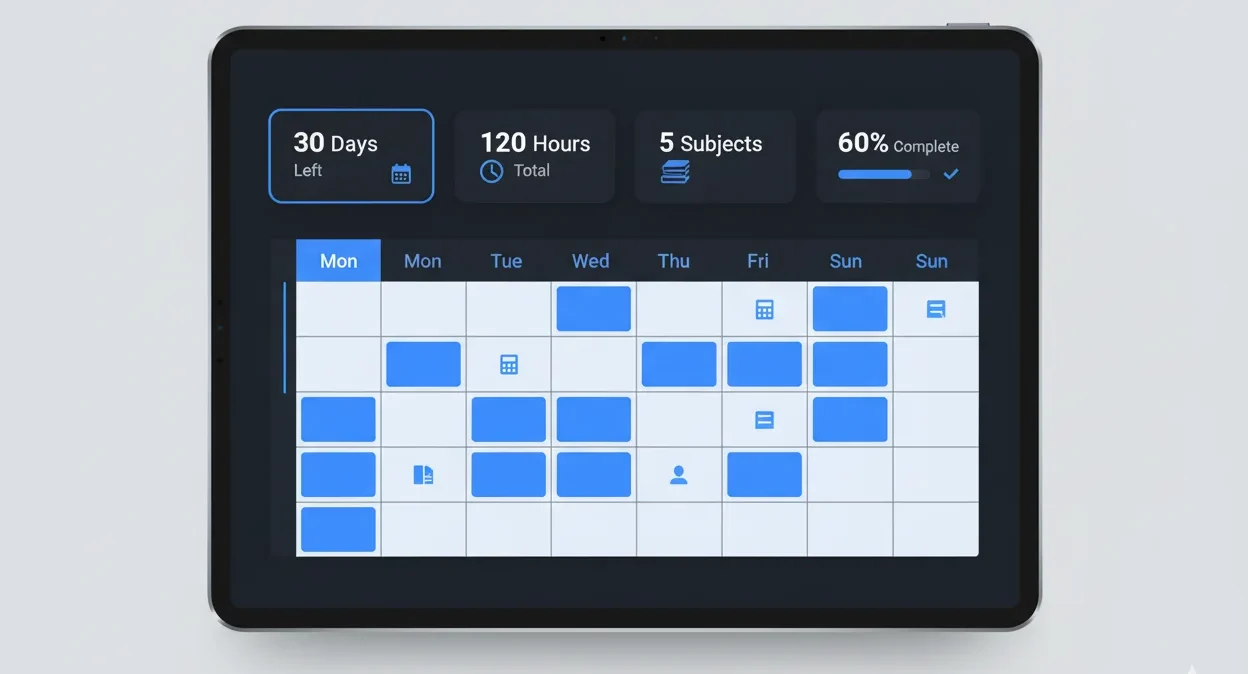
The dashboard view: days left, total planned hours, and completion percentage at a glance.
Compare that to writing a to-do list by hand. A list tells you what needs doing. It doesn’t tell you Tuesday needs 1.9 hours of Chemistry and 2.1 hours of Calculus, or that you’re three days behind where you should be. That gap is why most hand-written plans fall apart by week two.
How Does the Exam Study Schedule Generator Calculate Your Hours?
The generator assigns each subject a priority weight (High = 1.5, Medium = 1.0, Low = 0.7), then divides your daily hours proportionally. A subject’s daily time equals your total daily hours times its weight, divided by the sum of all weights. Harder subjects automatically get more time.
Here’s the formula, plain and simple:
Subject Time = (Daily Hours × Priority Weight) ÷ Total Weight
Say you’ve got 6 hours a day and three subjects: Math (High), Physics (Medium), History (Low).
- Total weight: 1.5 + 1.0 + 0.7 = 3.2
- Math: (6 × 1.5) ÷ 3.2 = 2.81 hours
- Physics: (6 × 1.0) ÷ 3.2 = 1.88 hours
- History: (6 × 0.7) ÷ 3.2 = 1.31 hours
Math gets more than double what History gets, without you having to sit down and negotiate it with yourself at 11pm.
The day count works the same way behind the scenes: total days between your start date and exam date, minus weekends (if you exclude them) and rest days (if you turn those on). Multiply the study days by your daily hours and you’ve got your total study budget.
Be honest about your daily hours. Setting 10 when you can realistically manage 4 just moves the guesswork from “what to study” to “why am I behind again.”
Cornell’s Learning Strategies Center makes a similar point in its own guidelines for creating a study schedule: cap any single subject at about two hours before switching, since concentration drops fast after that.
What Do the Numbers Say About Studying and Memory?
A few research findings explain why priority-based scheduling and spaced review beat cramming, and they’re worth knowing before you build your plan.
- Students study less than they think. The 2024 National Survey of Student Engagement found first-year college students reported preparing for class about 14 hours a week in total, spread across every course they’re taking, not per subject.
- The forgetting curve is real. Psychologist Hermann Ebbinghaus showed in the 1880s that freshly learned material fades fastest in the first day or two after you learn it, then levels off. Reviewing before that early drop is what spaced repetition is built around.
- Active recall beats rereading. Roediger and Karpicke’s 2006 study found that students who tested themselves on material remembered significantly more a week later than students who just reread it, even though the re-readers felt more confident going in.
- Spaced sessions beat marathon sessions. The Cepeda et al. meta-analysis cited above found that spreading study across several shorter sessions produces better long-term recall than cramming the same hours into one sitting.
None of that requires a special app to apply. It just means: review soon after you learn something, test yourself instead of only rereading, and split big study blocks into a few shorter sessions across the week, which is exactly what the weekly view and rest-day setting in this planner are built to support.
Priority Weight Distribution System
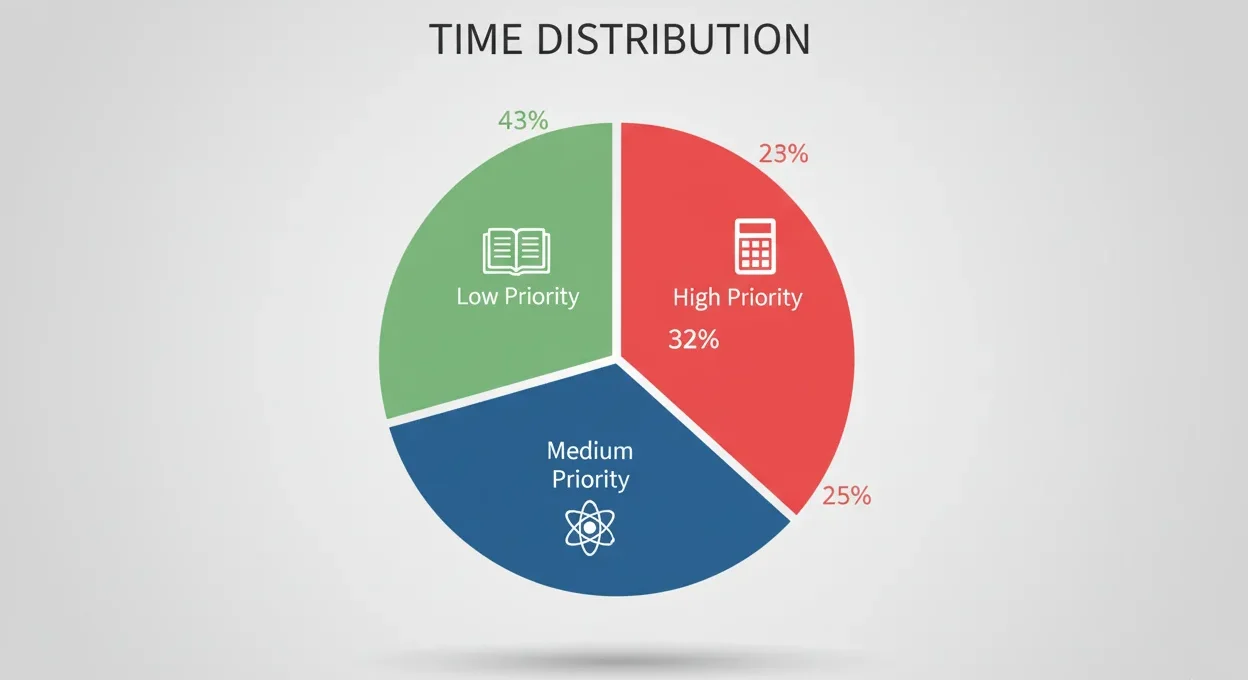
Time allocation shifts automatically as you change a subject’s priority.
| Priority Level | Time Weight | Example Subjects | When to Use It |
|---|---|---|---|
| High | 1.5× | Calculus, Physics, Organic Chemistry | Weak areas, exam weightage over 30% |
| Medium | 1.0× | Chemistry, English, Programming | Standard difficulty, core subjects |
| Low | 0.7× | History, Arts, Communication Skills | Subjects you’re already strong in |
The AI recommendations tab also scans your subject names. Type “Organic Chemistry” or “Quantum Mechanics” and it’ll nudge you to bump the priority up, since those keywords usually mean a harder subject.
If you’re using this as a college study planner and your priority list really comes down to protecting your GPA in one or two tough classes, run those grades through the GPA calculator first. Seeing exactly how much a course is dragging your average up or down makes it a lot easier to decide what counts as “High.”
How Do You Build a Study Schedule in 5 Steps?
Set your exam date and daily hours, add your subjects with a priority level, choose whether to include weekends and rest days, then click Generate Plan. The calculator builds your full schedule instantly, and you can drag subjects to reorder them.
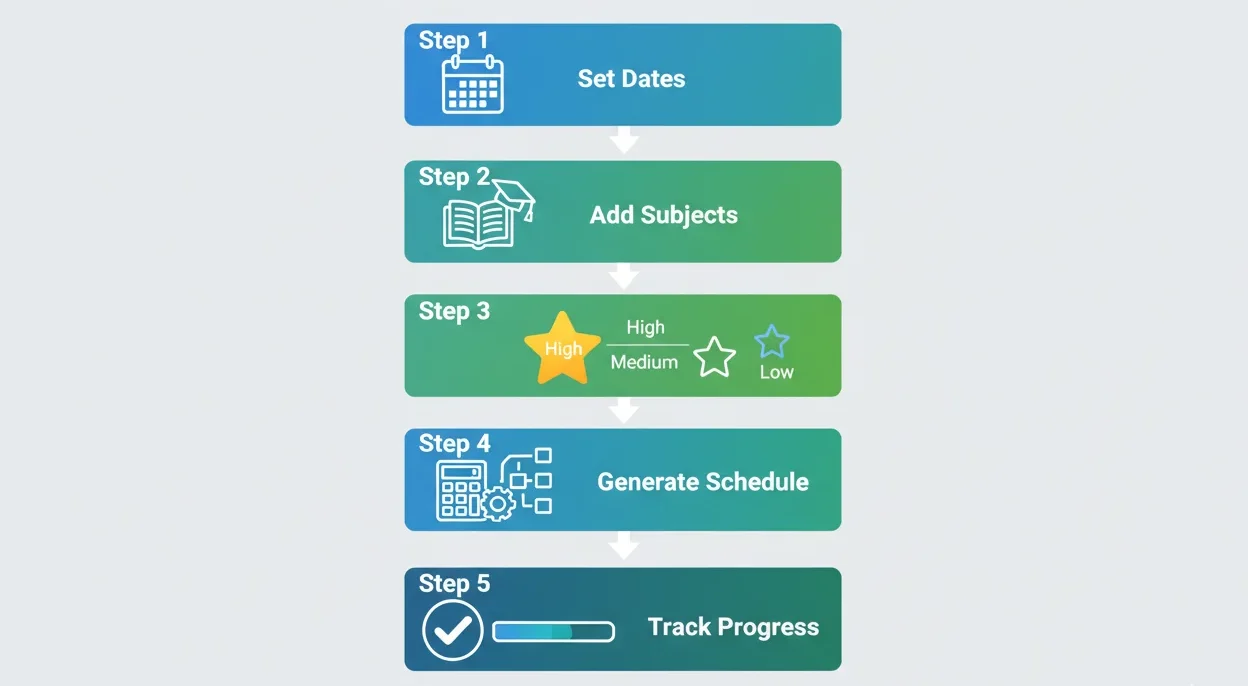
Configuration to generated schedule, in five steps.
Step 1: Set Your Exam Date and Daily Hours
Enter your exam date and a start date (today, by default). Then set daily study hours, between 0.5 and 16. Most students land somewhere between 4 and 6 hours for a sustainable pace.
Step 2: Add Your Subjects
Type a subject name, pick High, Medium, or Low priority, and hit Add Subject. Repeat for every subject on your exam list.
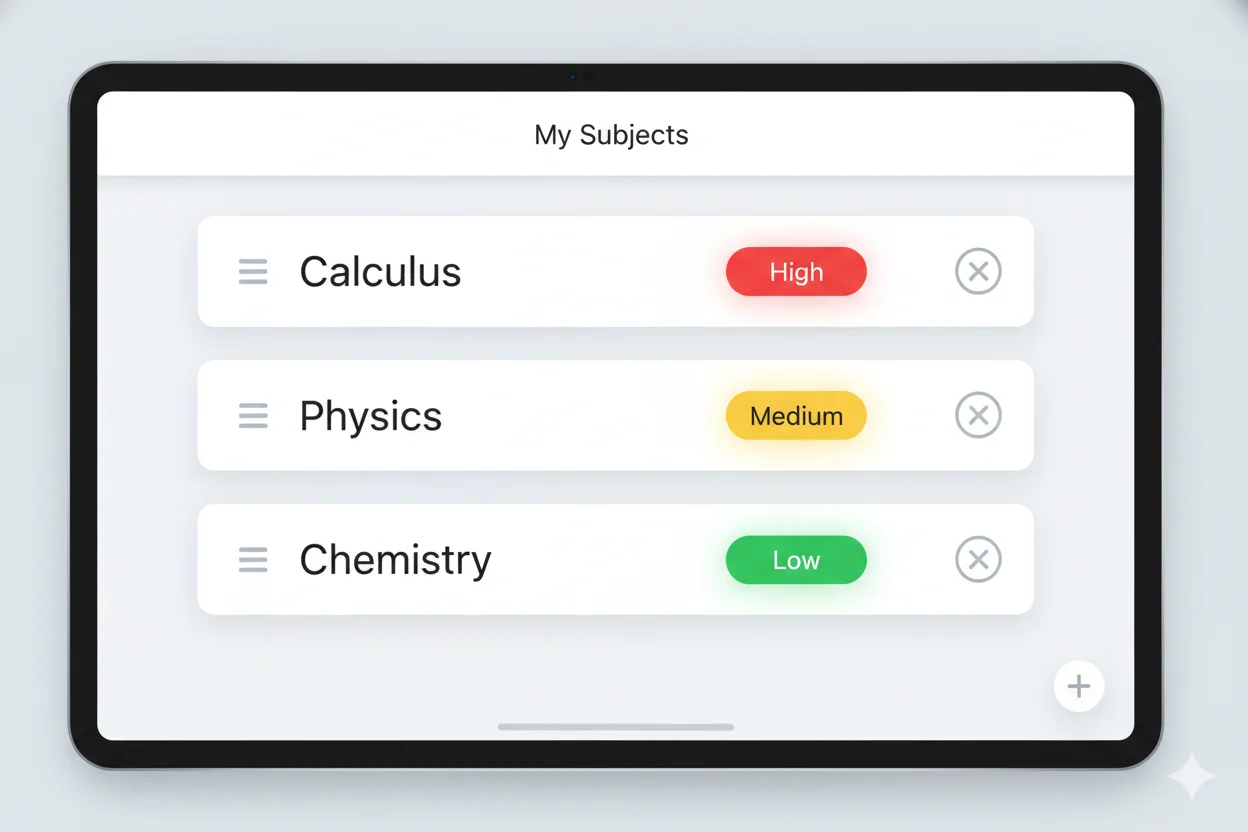
Drag any subject to reorder it. Order affects how the daily schedule reads.
Step 3: Choose Weekends and Rest Days
Toggle “Include Weekends” if you’re studying seven days a week, or leave it off for weekdays only. Turn on “Rest Day Every 6 Days” if you want a built-in recovery day baked into the plan.
Step 4: Click Generate Plan
Hit Generate Plan (or press Ctrl+G). You’ll get subject-wise daily hours, a full day-by-day schedule, and a weekly study planner view, all at once. Running it across a longer exam runway effectively turns it into a monthly study planner too, since the day-by-day view just keeps extending to your exam date.
Step 5: Track Progress as You Go
Check off subjects as you finish them in the Progress tab. The completion bar at the top updates in real time, so you always know where you stand.
What Makes the Built-In Pomodoro Timer Effective?
The Pomodoro timer runs 25-minute focus blocks followed by 5-minute breaks, a technique developed by Francesco Cirillo in the late 1980s to reduce mental fatigue during long study sessions. After four rounds, you take a longer 15 to 30 minute break.
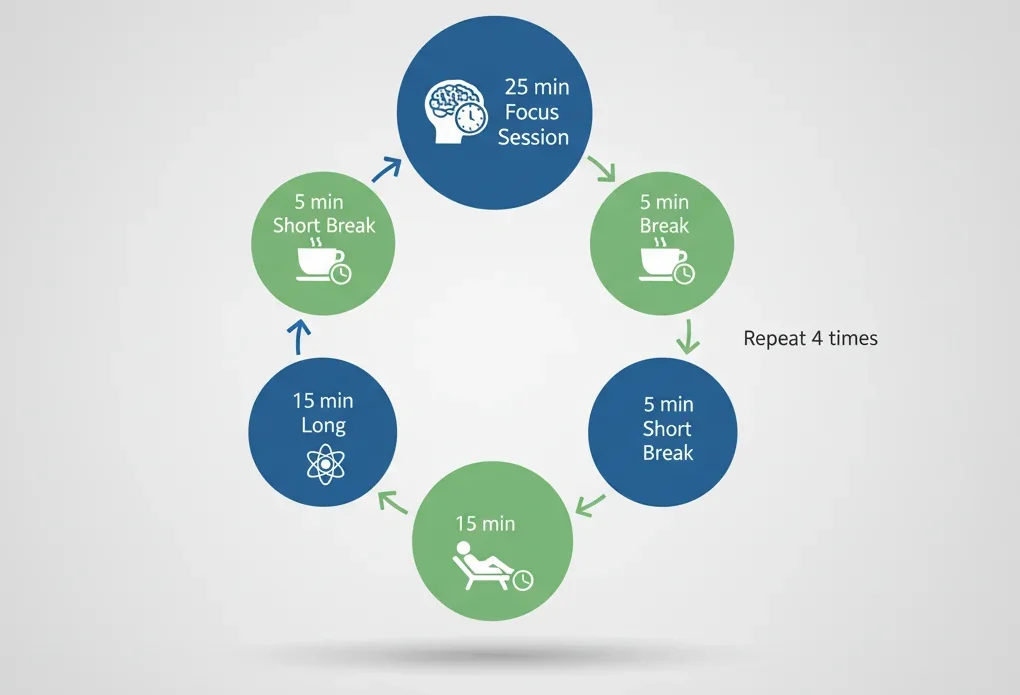
Pick a subject, start the timer, and every completed session logs itself in Analytics.
Pick a subject from the dropdown, set your focus and break length (25/5 is the default), and press Start. When the timer ends, the session logs itself automatically under that subject, no manual entry needed.
Why 25 minutes specifically? Cognitive load theory, first described by John Sweller in 1988, holds that working memory has a limited capacity. Short, focused blocks respect that limit better than marathon sessions where attention quietly drops off after the first hour.
Stanford’s Center for Teaching and Learning gives similar guidance in its own time management and exam-prep resources: break study into focus sessions with real stopping points, rather than open-ended blocks that quietly turn into three hours of half-attention. If you want a deeper dive into the technique on its own, the standalone Pomodoro timer covers the full method, including how to handle interruptions mid-session.
How Does the Risk Score Keep You on Track?
The risk score combines three factors: how many days are left, your current completion rate, and how consistently you’ve been studying. Scores under 40 mean you’re on track, 41 to 69 means you need to tighten up, and 70+ is an urgent warning to change something now.
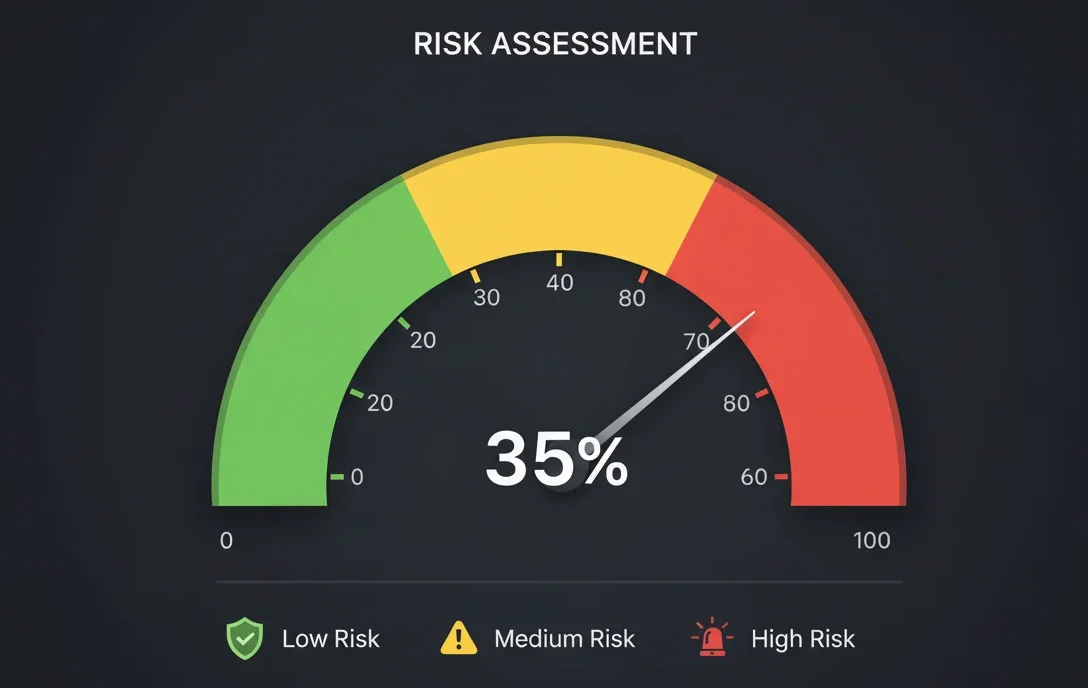
The gauge updates as your exam date approaches and your completion rate changes.
This is the part most planners skip. A to-do list can’t tell you that you’re behind. This one can, days before it becomes a real problem, so you still have time to fix it instead of just panicking about it.
The AI Insights tab also breaks down your study pattern from the last 7 days (how consistent you’ve been) and hands you specific tips based on your subject list, not generic advice copied from a listicle. Used this way, the planner doubles as a study tracker, not just a scheduler; you can see whether your actual study habits match the plan you set, which most study organizers never show you.
Oxford’s own study skills guidance makes the same point in plain language: managing your time well matters less than knowing, honestly, whether you’re keeping up with the plan you made.
Daily Study Planner vs. Notebook, Google Calendar, Notion, and Excel
A notebook costs nothing and takes zero setup, but it can’t do math for you or warn you when you’re falling behind. Google Calendar is great at reminders but does none of the priority-hour math. Notion and Excel can be built into decent planners, but only if you build the formulas and layout yourself first, which takes hours most students don’t have during exam season. Paid study apps usually charge $5 to $10 a month for features this calculator already includes.
| Feature | Paper Planner | Google Calendar | Notion | Excel | Paid Study Apps | This Calculator |
|---|---|---|---|---|---|---|
| Priority-based hours | Manual | No | Manual formulas | Manual formulas | Basic, if any | Automatic |
| Setup time | None | Minutes | Hours (template build) | Hours (formula build) | Minutes | Under 5 minutes |
| Day-by-day schedule | Manual | Manual entries | Manual, once built | Manual, once built | Usually | Automatic |
| Progress tracking | No | No | Manual checkboxes | Manual formulas | Basic | Real-time, visual |
| Pomodoro timer | No | No | Separate widget needed | No | Separate app needed | Built in |
| Risk warnings | No | No | No | No | No | Yes |
| Export options | N/A | ICS export | PDF, CSV | Native | PDF only, usually | CSV and print |
| Cost | $5–$20 one-time | Free | Free–$10/month | Free–$70 (or included with Office) | $5–$10/month | Free |
Google Calendar wins on reminders and syncing across devices. Notion and Excel win if you already live in them and enjoy building your own templates. None of the three does the priority-hour math or flags risk on their own, and that’s the specific gap this calculator fills.
If you want the full range of calculators alongside this one, check the education calculators collection, which covers everything from GPA to grade weighting.
Study Planning Mistakes That Cost You Marks
Giving every subject equal time
Physics and Art history are not the same amount of work. Equal hours means your weak subjects stay weak. Set priorities and let the weights do the splitting.
Studying whatever “feels right” that day
This is how easy subjects get all the attention and hard ones get pushed to “tomorrow” until tomorrow is exam day.
Skipping rest days
Cramming six or seven days straight looks productive. It isn’t. Memory consolidation happens during downtime, not while you’re staring at a textbook for the ninth hour. Harvard’s Academic Resource Center makes the same case in its own academic support guidance: sustainable study habits beat marathon sessions, even during exam weeks.
Never checking your progress
If you don’t know where you stand, you find out the hard way, in the exam room. Check the progress tab regularly; five seconds now saves a bad surprise later.
Treating a revision schedule as a one-time task
A revision schedule you build once and never touch again drifts out of date within a week. Life happens, plans shift, and a good exam timetable gets adjusted, not abandoned.
Setting unrealistic daily hours
Planning 10 hours and doing 3 breeds guilt, not results. Pick a number you can actually hit five days in a row.
Why Trust Solvebility?
A few things about how this specific calculator was built and how we keep it accurate:
- Calculator tested across real scenarios. Before publishing, we ran it through course loads from 3 to 9 subjects and timelines from a few days to a full semester, checking that the hour splits and day counts came out correct in each case.
- Formula verified by hand. The priority-weight math (
Subject Time = Daily Hours × Priority Weight ÷ Total Weight) is basic weighted division. You can check any result the calculator gives you with a phone calculator in under a minute. - Updated as we find issues. This page gets revisited when the underlying tool changes or when something in it stops making sense; the “Last Updated” date at the bottom of this page reflects that.
- Built on published research, not guesswork. The Pomodoro interval, the rest-day logic, and the spaced-review framing all trace back to named, citable research: Cirillo, Sweller, Cepeda et al., and Roediger and Karpicke, all linked in Sources below.
Frequently Asked Questions
What is a daily study planner?
A daily study planner is a tool that converts your exam date, available hours, and subject list into a day-by-day study schedule. It removes the guesswork of deciding what to study and for how long each day.
How does the exam study schedule generator calculate my hours?
It multiplies your daily hours by each subject’s priority weight (High 1.5, Medium 1.0, Low 0.7), then divides by the total weight of all subjects. Harder or higher-priority subjects automatically receive more study time.
Why should I set subject priority levels?
Priority levels tell the calculator which subjects need more time. Without them, every subject gets an equal share, which usually means your weakest subjects stay under-prepared.
When should I start using a study planner before an exam?
As soon as your exam date is confirmed. Starting 3 to 6 weeks out gives the priority system room to work; starting with only a few days left forces the calculator into pure triage mode.
Does the daily study planner cost anything?
No. The calculator, Pomodoro timer, notes, analytics, and AI insights are all free to use, with no signup and no account required.
Daily study planner vs. a paper planner, which is better?
A paper planner is fine for writing down what you did. This calculator is better for deciding what to do next, since it does the hour math and flags risk automatically, something a notebook can’t do.
Will my data be saved if I close the browser?
Yes. Your subjects, schedule, notes, and timer sessions save automatically to your browser’s local storage and reload the next time you open the page. Nothing is sent to a server.
Is a free study planner worth using over a paid app?
For most students, yes. This planner covers scheduling, a Pomodoro timer, notes, and progress analytics in one free tool, which is the same core feature set many paid apps charge a monthly fee for.
How many hours should I study daily?
Most students sustain 4 to 6 focused hours a day during exam prep without burning out. NSSE survey data puts average weekly class preparation around 14 hours total across all subjects, so daily totals vary a lot by how many exams you’re juggling.
How do toppers create study schedules?
Top-performing students consistently do three things: they prioritize weak or high-weightage subjects over easy ones, they test themselves instead of just rereading notes, and they review material on a spaced schedule instead of cramming it once.
Is studying every day better than studying in long weekend blocks?
Yes, for retention. Spaced practice research shows spreading the same number of hours across more days produces better long-term recall than compressing them into fewer, longer sessions.
How long should one Pomodoro session be?
The traditional length is 25 minutes of focus followed by a 5-minute break, developed by Francesco Cirillo in the 1980s. This planner also offers a 50-minute “Deep” mode for subjects that need longer uninterrupted blocks, like essay writing or problem sets.
Can I print my study schedule?
Yes. Use the Print button or Ctrl+P (Cmd+P on Mac) to open your browser’s print dialog, then save as PDF or print directly. You can also export the full schedule as a CSV file to open in a spreadsheet.
Can I use this study planner on mobile?
Yes. The calculator is fully responsive and works in any modern mobile browser, no app download required. All the same features, including the Pomodoro timer and analytics, work on a phone or tablet.
Can I save my study plan and come back to it later?
Yes. Everything saves automatically to your browser’s local storage, so your subjects, schedule, notes, and timer history are all still there the next time you open the page on the same browser and device.
Your Next Study Session Starts Here
A planner can’t sit the exam for you. What it can do is stop you from wasting the next three hours deciding where to start.
Scroll back up, add your subjects, set your exam date, and click Generate Plan. The schedule takes seconds to build. The follow-through is on you.
Once your plan is running, the Pomodoro timer and the GPA calculator pair well with it, and the rest of the education calculators cover everything else you’ll need this semester.
Sources & Further Reading
Last Updated: | Next Review:
- Francesco Cirillo. “The Pomodoro Technique.” 2006.
- John Sweller. “Cognitive Load During Problem Solving.” Cognitive Science, 1988.
- Cepeda et al. “Distributed Practice in Verbal Recall Tasks: A Review and Quantitative Synthesis.” 2006.
- Roediger & Karpicke. “Test-Enhanced Learning.” Psychological Science, 2006.
- Amabile & Kramer. “The Power of Small Wins.” Harvard Business Review, 2011.
- National Survey of Student Engagement (NSSE). Annual Results, 2024.
Official Study-Skills Resources
- Cornell Learning Strategies Center — Guidelines for Creating a Study Schedule
- Harvard College — Academic Resource Center
- Stanford Center for Teaching and Learning — Academic Skills Resources
- University of Oxford — Study Skills Guidance
Recommended Resources
Written by Nouman Ahmed
Civil Engineer • Solar Energy Consultant • Software Developer
Nouman is the founder of Solvebility, with practical experience in solar PV system design, engineering calculations, and calculator development since 2011. This tool was built by Nouman and reviewed by the Solvebility engineering team to verify formulas, assumptions, and calculation accuracy before publication — and is updated whenever industry standards change.